"Why pay for sGTM hosting when I already have a VPS?" We hear this a lot, and it's a fair question. Google's server-side tagging image is free, and it runs on any server that can run Docker. If you're comfortable on a Linux command line, you can have it working on your own VPS in an afternoon.
The server bill is also close either way. A VPS that can run your store and a server container side by side costs about ৳1,300 to ৳1,600 a month in Bangladesh. Compared with a smaller VPS for the site plus a managed sGTM plan, the saving usually comes to ৳200 to ৳300 a month.
That number only counts the server. The bigger costs are the hours you spend running it and the events you lose when something goes wrong. Below is each one, with real numbers from the 500-plus server containers we run at PixelFly, so you can decide with your eyes open.
When the server goes down at 3 a.m.
On your own VPS, if the container crashes or the VPS itself goes down, tracking stops until you notice and fix it. Browsers send tracking hits once and don't try again, so every purchase in that window is gone. If it happens at 3 a.m., you find out when you look at the morning's orders and half of them never reached Meta.
Here's how it works on our side. Each customer's container runs on Kubernetes. If it crashes, it's restarted automatically. When traffic climbs, it scales to up to three copies, spread across different servers where possible. If a whole server fails, the container moves to another server in the cluster.
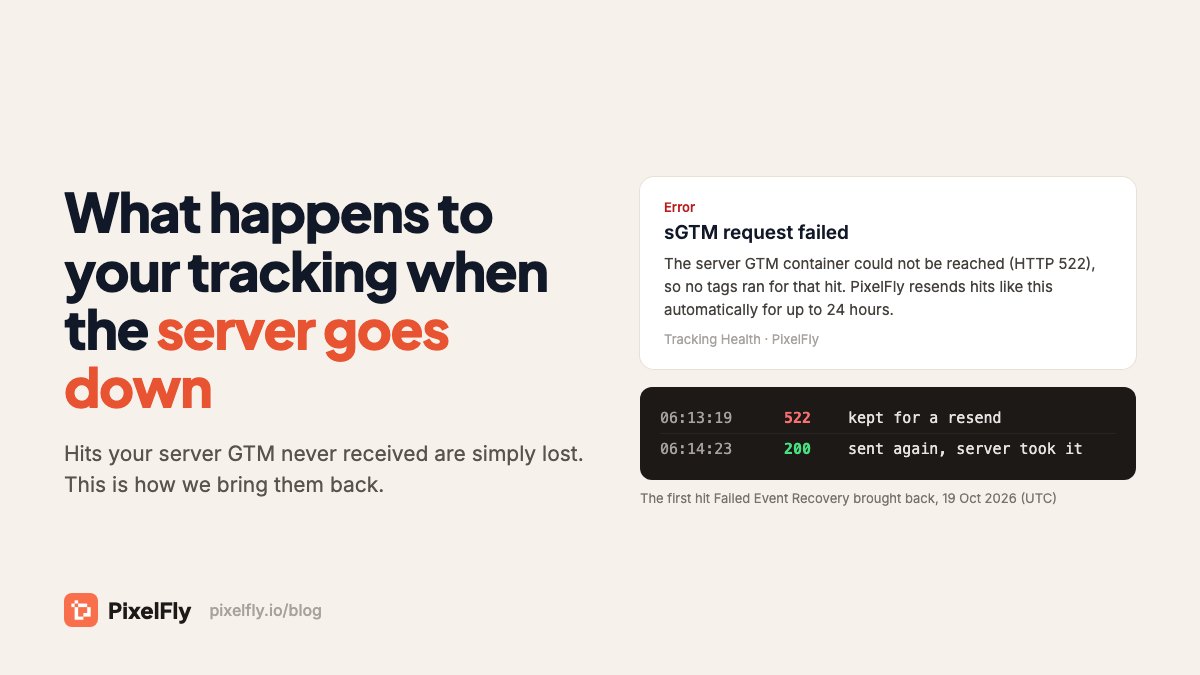
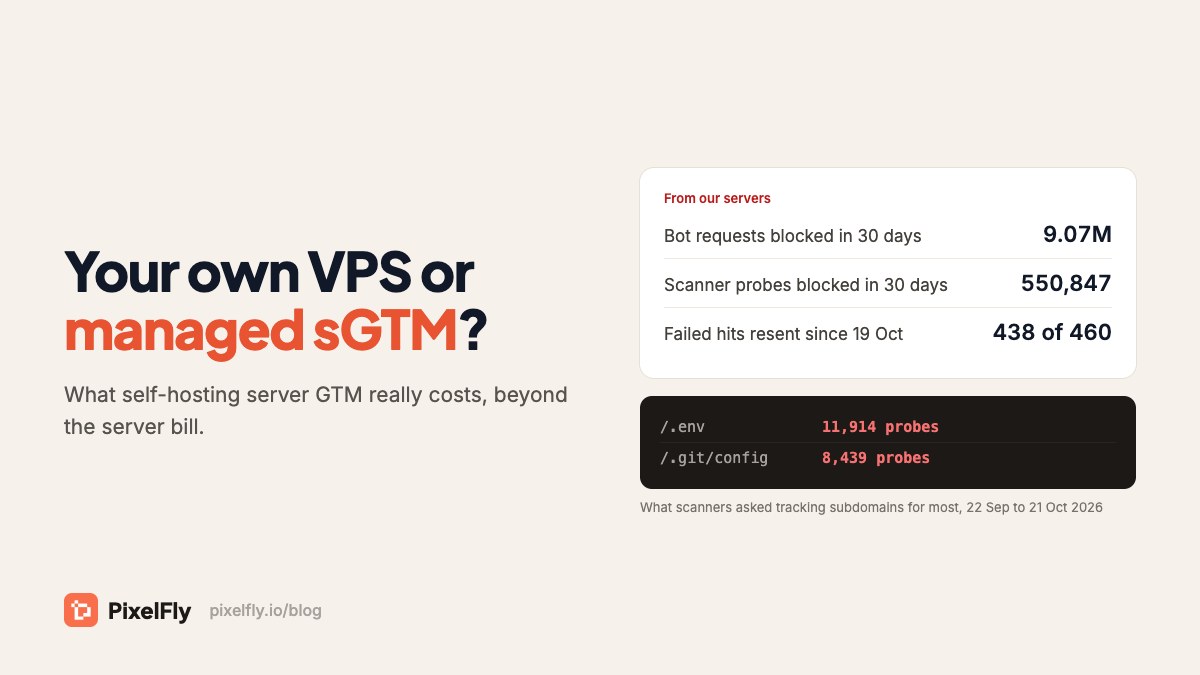
That still isn't zero downtime, and we won't pretend otherwise. A restart takes a moment, and a server GTM container can take more than three minutes to start. So we also built Failed Event Recovery. When a hit can't reach your server, we keep a copy and send it again for up to 24 hours. In the first three days after we switched it on (19 October 2026), it kept 460 hits from 106 stores and delivered 438 of them, about 95%. On a plain VPS, all 460 would have been lost.
Security is a job, not a setting
Running your own server means you own the OS updates, firewall rules, SSH hardening, TLS renewals and DDoS protection. It's ongoing work. Miss one update and the server is exposed, and this server handles your customers' emails and phone numbers on their way to Meta and Google.
It isn't a theoretical risk. In the last 30 days, scanners sent 550,847 probes to our customers' tracking subdomains, hitting 429 of them. The most common targets were /.env (11,914 attempts) and /.git/config (8,439), the files where websites keep database passwords and API keys. On PixelFly those probes are blocked at Cloudflare before they reach any server. On a VPS that also runs your website, they reach the same machine your store lives on.
Bots and ad blockers keep changing
A tracking subdomain attracts bots. In the same 30 days, we blocked 9.07 million bot requests across our customers' tracking domains. On server containers alone, that's about 12% of all traffic. Let them through on a VPS and they reach your tags as fake page views and sessions, which end up in Meta and GA4.
Ad blockers change too. Without a custom loader, many ad blockers stop gtm.js from loading at all, and then no tag runs. Filter lists update constantly, so the loader and the bot rules need ongoing maintenance rather than a one-time setup. On a VPS that's your job. On PixelFly we keep both up to date for every customer, on every plan.
What you'd actually lose if the disk dies
There's a common worry that a dead VPS takes your conversion history with it. It doesn't. Your tags live in Google Tag Manager, and Meta and GA4 keep their own history. A server container stores almost nothing.
What you lose is the server itself: the Docker setup, the reverse proxy, the certificates and the environment settings. You also lose any logs you kept. Rebuilding takes hours, and tracking is down the whole time. On PixelFly a container rebuilds itself from its config, and your event logs are stored separately, for 30 days on the free plan and up to 365 days on Enterprise.
A VPS costs the same at zero traffic
A VPS bills you every hour of every day, busy or quiet. A small store pays the same as a busy one. Our servers are shared across many stores, so you pay by how many events you send, and the free plan covers 15,000 events a month. About a third of the stores on our servers send fewer than that.
The features you'd have to build
A bare server container forwards hits and nothing more. Everything people come to us for sits around it, and each one is weeks of work to build and an ongoing job to keep working:
- EMQ Enricher, which restores missing customer match keys on Meta events to lift Event Match Quality
- COD order protection, which holds a cash-on-delivery purchase back from Meta until the order is confirmed
- Failed Event Recovery, covered above
- Repeat-purchase checks, so an order counts once in your reports (we caught 4,393 repeat purchase hits in the last 30 days)
- Tracking Health, which tells you when purchases lose their value or event ID, or events stop arriving
When your EMQ score drops on a VPS, finding out why is also your job, and it's slow work if you've never done it.
Who you call when it breaks
Deduplication failing, Conversions API rejecting events, Consent Mode blocking tags: on your own VPS, you debug all of it yourself. Our support team works in Bangla and English, over live chat, WhatsApp, calls and Google Meet, and has seen most of these problems many times before.
When a VPS is the right choice
Self-hosting isn't wrong. It makes sense if you're a developer who already runs servers with monitoring and backups, if your data has to stay on infrastructure you control, or if you run so many containers that per-plan pricing stops making sense. If you go that way, follow the rules in Google's manual setup guide:
- Give each server at most 1 vCPU. Google says extra CPUs go unused and make autoscaling worse.
- Run exactly one preview server, and don't autoscale it.
- Health-check
/healthy, but give a new container a few minutes to start. A check that gives up too early restarts the container in a loop. We learned that one the hard way. - Update the image at least on every major release, and restart servers now and then.
- Set up monitoring that wakes someone up. A server nobody watches will fail on a sale day eventually.
The real comparison
| Your own VPS | PixelFly managed sGTM | |
|---|---|---|
| Monthly cost | About ৳1,300–1,600 for a VPS big enough for site and sGTM | Free up to 15,000 events; Starter ৳1,200 (৳900 billed yearly), $15 outside Bangladesh |
| Setup | An afternoon if you know Docker, longer if you don't | Paste your container config and point a subdomain |
| Crash or server failure | Down until you fix it | Restarted or moved automatically; failed hits resent for 24 hours |
| Security updates and scanners | Yours to handle | Handled; scanners blocked at Cloudflare |
| Bot filtering and custom loader | Build and maintain them yourself | Included on every plan |
| EMQ Enricher, COD protection, alerts | Build them yourself | Included on every plan |
| Event logs | Whatever you set up | 30 to 365 days, depending on plan |
| Help when it breaks | You | Bangla and English support |
Saving ৳200–300 a month on a VPS means taking on the engineering time, the security risk and the lost events yourself. For most stores that's a bad trade. If you'd rather spend that time on your ads, you can start free with 15,000 events a month. Moving from a VPS doesn't change your tags, because it's the same Google image. The sGTM hosting guide shows the steps.
Comparing managed hosts instead? Here's how PixelFly compares with Stape plan by plan. At 2 million events a month, it's $30 against Stape's $100.
Sources
- PixelFly's own data: bot and scanner blocks, and repeat-purchase checks, for 22 September to 21 October 2026, plus Failed Event Recovery from 19 to 22 October 2026
- Google: manual setup guide for server-side tagging
- What happens to your tracking when your server GTM goes down
- PixelFly docs: Failed Event Recovery
- Stape pricing